Oniverse has made a habit of surprising me—in a good way. Both the Polaris headset and the Starion controller already won me over with value for money that seemed to defy basic accounting logic. Needless to say, I was genuinely excited when the Oniverse Vanguard landed on my desk. Gaming mice are my favorite hunting ground. That said, I also bring the skeptical eye of a grizzled veteran who has cycled through more sensors than most people will see in a lifetime.
The Oniverse Vanguard is an approximately 57 g wireless gaming mouse featuring an integrated screen, RGB charging dock, and tri-mode connectivity for €49.99. Versatile and comfortable for everyday use, it targets mainstream gamers rather than competitive esports players, who will want a higher-end sensor and polling rate.
Check Oniverse Vanguard wireless gaming mouse on Amazon
View the Vanguard on Oniverse’s website
Oniverse Vanguard Specs
| Specification | Details |
|---|---|
| Sensor | PixArt PAW3311 |
| Resolution | Up to 12,000 DPI (6 stages) |
| Speed / Acceleration | 300 IPS / 35 G |
| Polling Rate | 1000 Hz |
| Connectivity | 2.4 GHz USB-A dongle, Bluetooth, wired |
| Rated Battery Life | 41 hours |
| Weight | Approx. 57–58 g |
| Buttons | 6 programmable buttons, macros via software |
| Switches | Huano mechanical |
| Shape | Symmetrical, side buttons on the left only |
| Extras | Built-in screen (battery, DPI, mode), RGB charging dock |
| Colors | Nocta Black, Luxion White |
| Warranty | 2 years, +1 year upon product registration |
| Price | €49.99 |
Design and Build: 57 Grams and a Tamagotchi-Style Screen
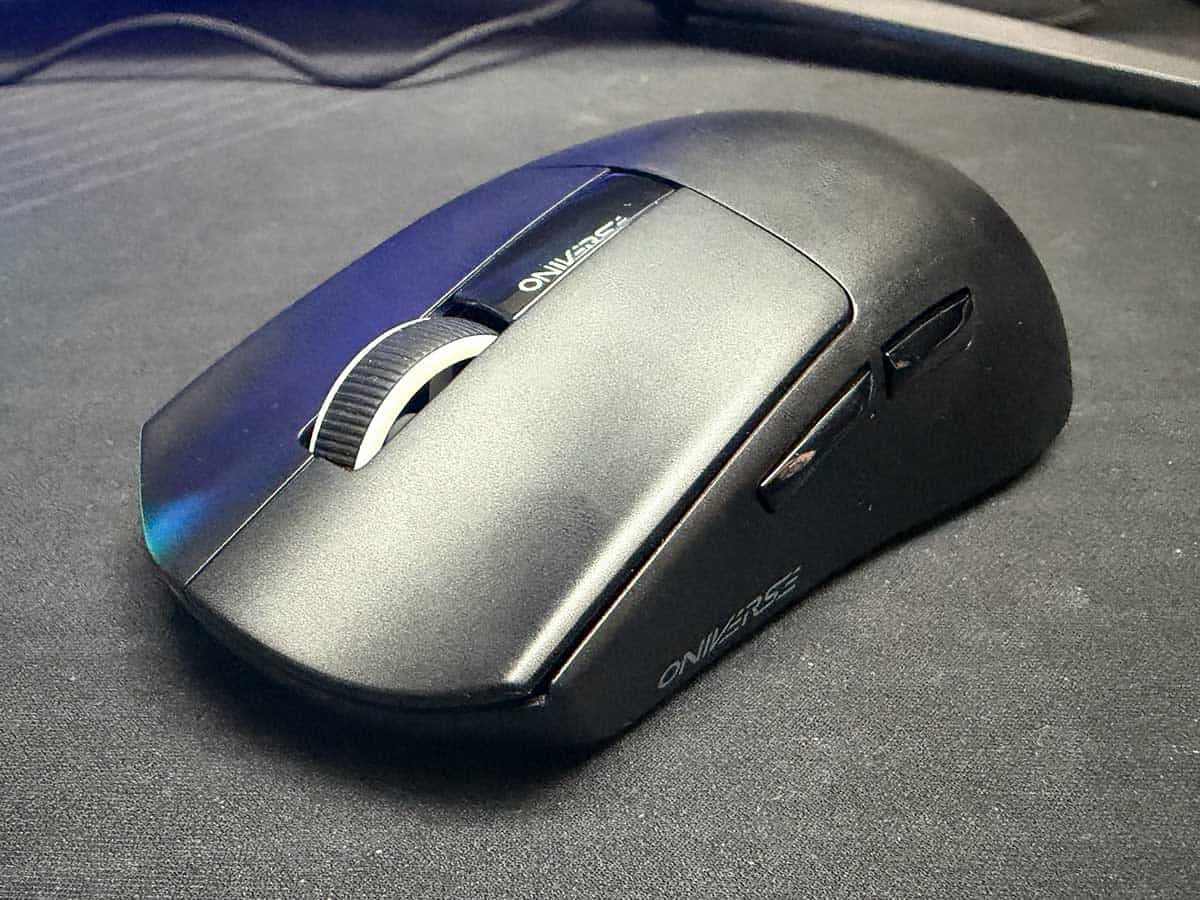
My first instinct when pulling the Oniverse Vanguard out of the box was to weigh it in my hand. At roughly 57 grams, it sits squarely in ultralight territory—except here, there’s no Swiss-cheese honeycomb shell in sight. Oniverse stuck with a solid casing in a matte finish that feels great under the palm and won’t turn your mouse into a crumb vacuum. For anyone who snacks at their desk (you know who you are), that’s a far stronger selling point than it sounds.
The real conversation starter sits right above the scroll wheel: a tiny built-in screen displaying battery level, DPI stage, and active connection mode. A bit gimmicky? Sure. Genuinely useful? Honestly, yes. No more guessing which sensitivity preset you’re on or trying to decode an LED blinking in Morse code. It gave me that same little hit of joy as the LCD screens on 90s handheld toys—minus the nostalgia tax and with actual everyday utility.
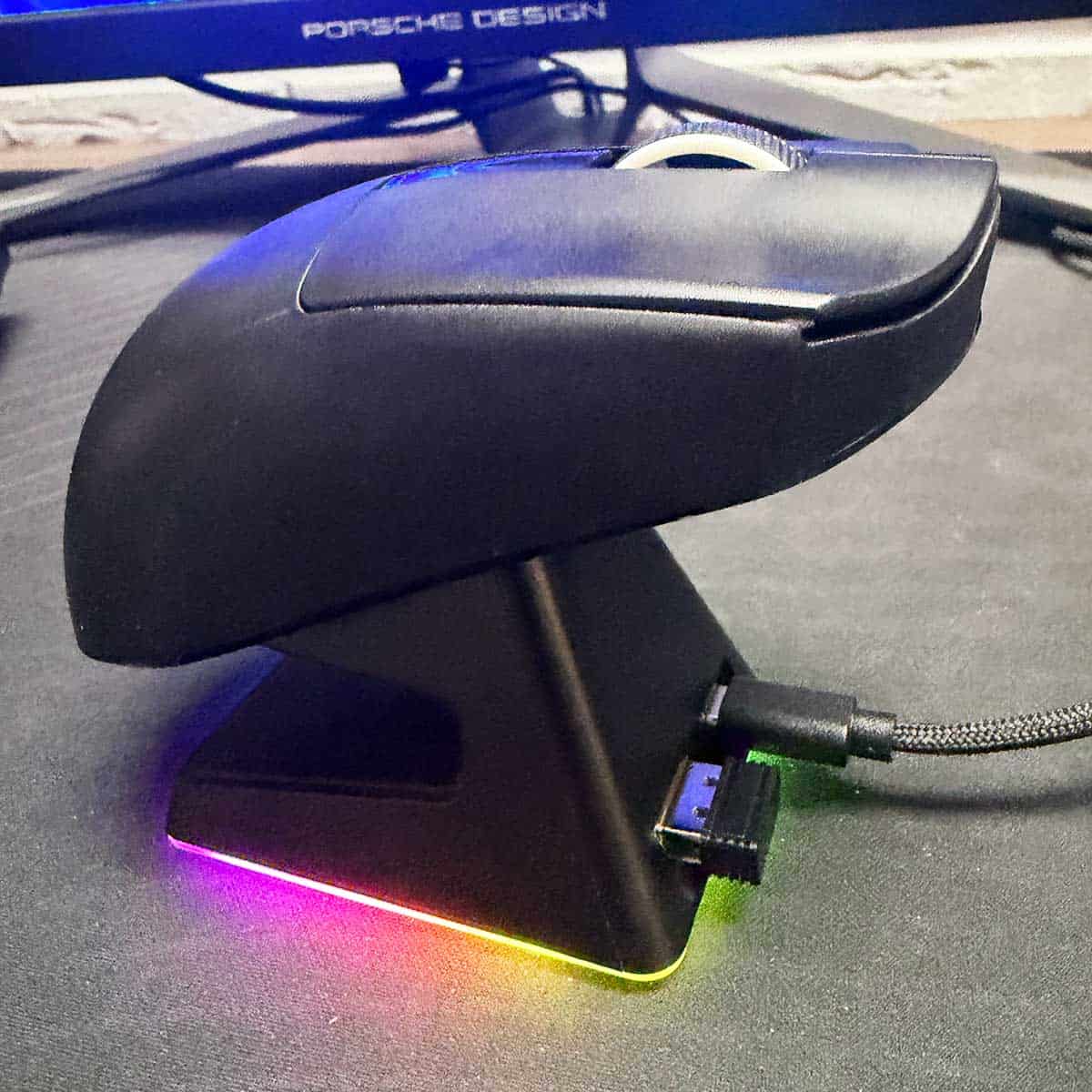
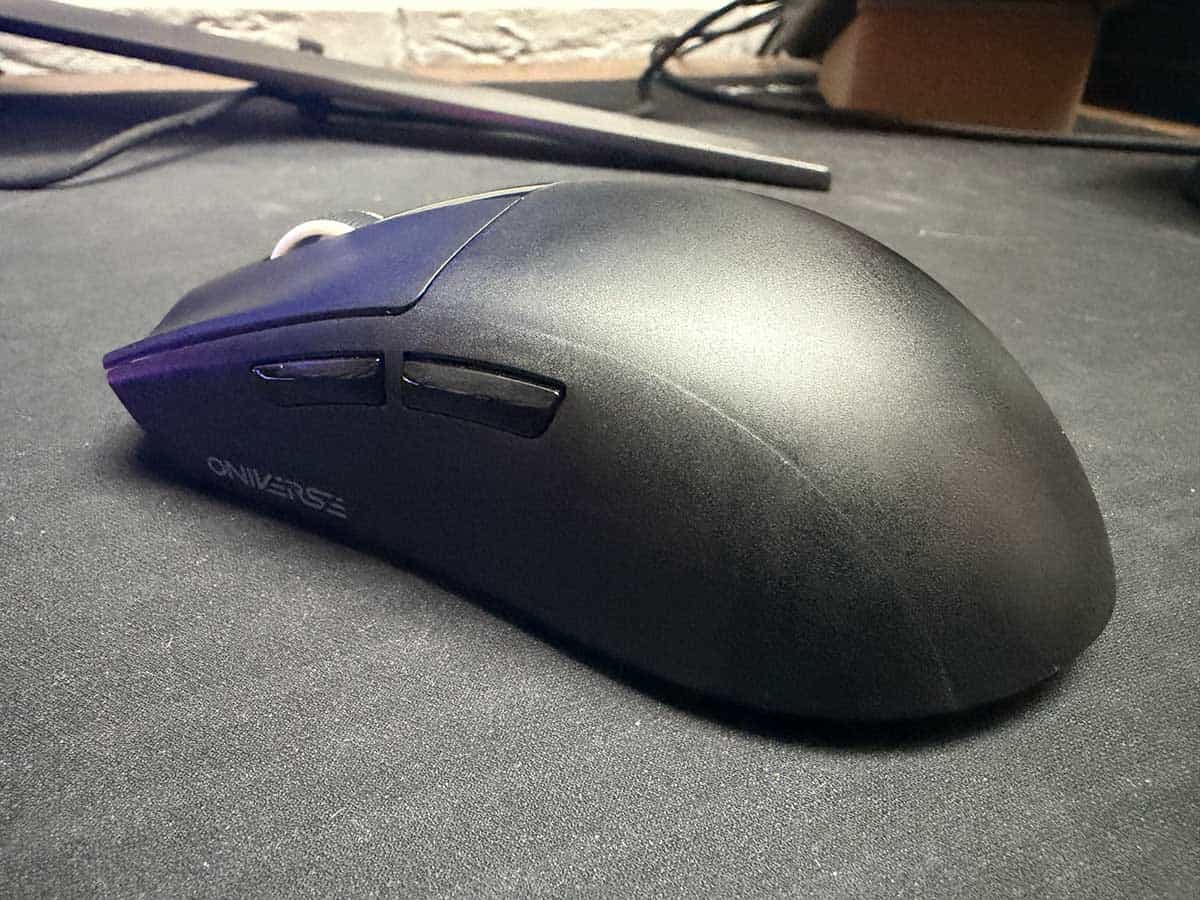
A pyramid-shaped charging dock with RGB lighting rounds out the package. It doubles as both a stand and a tidy home for the mouse, giving your desk a subtle sci-fi set-piece vibe. The only real design misstep is that the mouse is marketed as symmetrical, yet the side buttons are only on one side. Left-handed users can still hold it comfortably, provided they’re willing to give up thumb shortcuts. Call it “ambidextrous-ish.”
Oniverse Vanguard Performance and Real-World Use
More than anything, the Vanguard’s charging dock changes how you think about battery life. The rated 41 hours isn’t exactly groundbreaking for a wireless mouse in 2026, but when you drop it onto the dock every night, battery anxiety simply disappears. Even if you skip that routine, the mouse comfortably lasts several days between charges—more than enough to keep you from running dry mid-round.
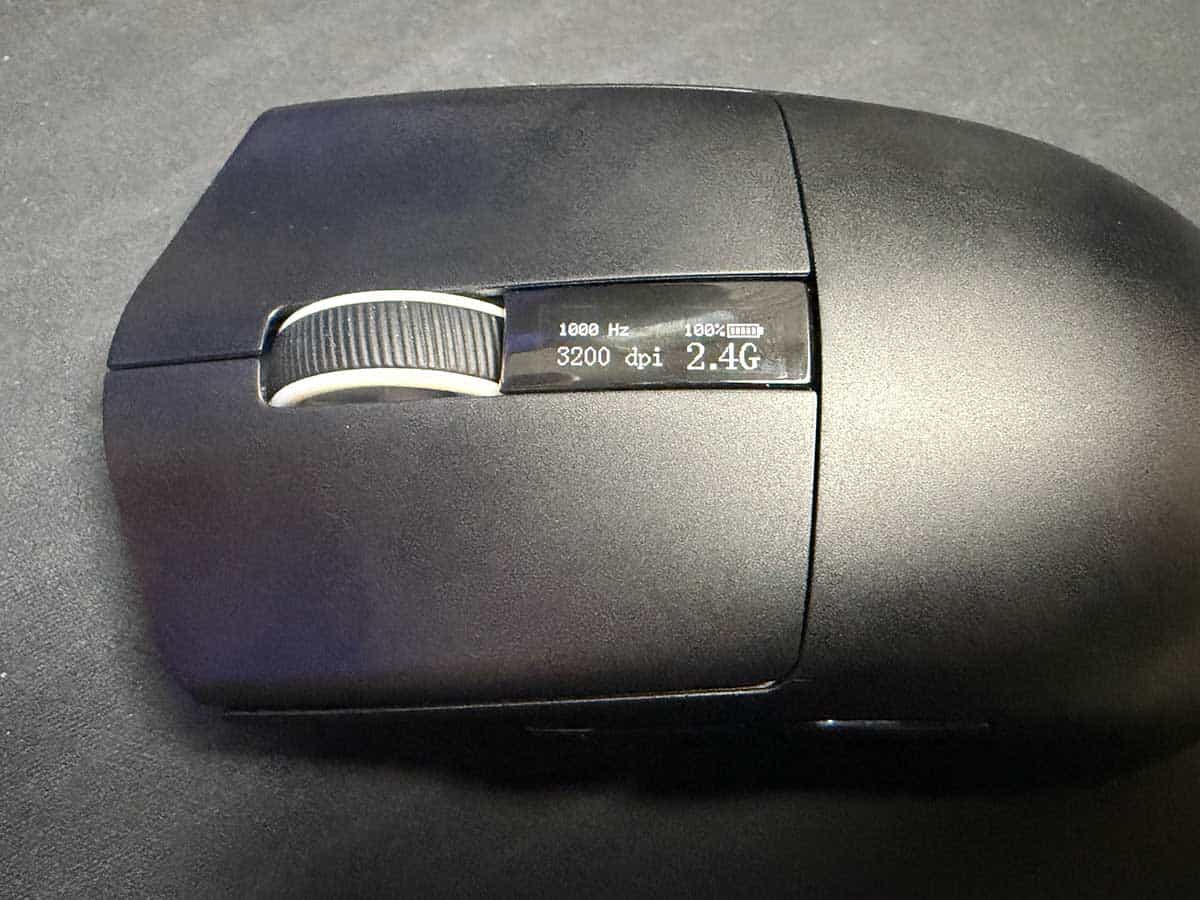
On the sensor front, the PixArt PAW3311 gets the job done: tracking is reliable with zero cursor skips, and you get 6 DPI presets adjustable via the center button or software. Still, let’s call a spade a spade—this is a midrange sensor. No need to panic, though: for the vast majority of players, the gap between this and a flagship sensor is virtually imperceptible. Only demanding competitive players will notice the difference.
The same goes for the 1000 Hz polling rate. That used to be the gold standard a few years back; today it’s the baseline, with rival mice pushing 4000 Hz or even 8000 Hz. Keep expectations grounded for high-level competitive play: the Vanguard is a responsive, accurate mouse, not an esports scalpel.
Where it really racks up points, however, is versatility. A 2.4 GHz dongle for gaming, Bluetooth for a laptop on the go, and wired mode as a backup—I bounced it back and forth between my gaming rig and my laptop without ever reaching for a second mouse. All six buttons support macros through Oniverse’s software, and the Huano mechanical switches deliver the crisp, familiar click you’d expect in this bracket.
How It Stacks Up Against the Competition
Its closest rival actually lives under the same roof: Oniverse’s own wired sibling, the Kryo, which climbs to 12,800 DPI and sells for €19.99. If you exclusively game on a desktop PC and don’t mind a cable, it’ll get the job done for less than half the price. Of course, you give up wireless freedom, Bluetooth, the screen, and the dock—basically everything that gives the Vanguard its charm.
At the other end of the spectrum, newer competitive mice boasting 4000 Hz or 8000 Hz polling rates and top-tier sensors cost significantly more. Those are built for players counting every single millisecond. For everyone else, that extra price premium is tough to justify.
Oniverse Vanguard Verdict: The Everyday Gamer’s Mouse
So no, the Oniverse Vanguard isn’t an esports weapon—but it is a terrific everyday mouse. I’d happily recommend it to casual and regular gamers looking for a lightweight, versatile wireless mouse that transitions effortlessly from gaming to desk work and from desktop to laptop. The dock and built-in screen deliver real day-to-day convenience rather than mere spec-sheet fluff. Hardcore competitive players, on the other hand, should look elsewhere for higher-grade sensors and faster polling.
All told, at €49.99, it’s a steal. The Vanguard is basically the Honda Civic of gaming mice: it won’t win a Formula 1 race, but it does everything well and won’t cost you an arm and a leg. So, where do you stand—team flagship sensor at any cost, or team versatility and glowing charging dock?
Buy the Vanguard on Oniverse’s website
FAQ
Is the Oniverse Vanguard suitable for left-handed users?
Its symmetrical shape makes it easy to grip with your left hand, but the side buttons are placed on one side only, tailored for right-handed users. Left-handed players will lose convenient access to those thumb shortcuts.
Can you use the Vanguard on a laptop without the dongle?
Yes. Alongside the 2.4 GHz USB-A dongle and wired mode, the Vanguard connects over Bluetooth, letting you pair it with a laptop without tying up a USB port.
What is the warranty on the Oniverse Vanguard mouse?
Oniverse provides a standard 2-year warranty and adds an extra year—3 years total—if you register the product in your account on the brand’s website.