Every time a 60% keyboard lands on my desk, I feel like a kid pressing his nose against a candy store window, and the Razer Huntsman V3 Pro Mini 8KHz is no exception. With a footprint built for competitive play, stellar typing feel, and a noticeable step up in build quality, it is hard not to be charmed right out of the gate. The real question is whether 8,000 Hz polling is actually worth €189.99 (around $205).
The Razer Huntsman V3 Pro Mini 8KHz builds on the original Mini with 8,000 Hz HyperPolling, the full Advanced Input Control suite, and noticeably improved acoustics. While it is an absolute weapon in competitive play, its €189.99 (~5) price tag is steep and it offers little reason to upgrade if you already own the previous Mini.
Razer Huntsman V3 Pro Mini 8KHz Specs
| Spec | Details |
|---|---|
| Form Factor | Compact 60% |
| Switches | Razer Analog Optical Switches Gen-2, factory-lubed |
| Adjustable Actuation | 0.1 to 4.0 mm |
| Actuation Force | 40 g (2.0 mm default actuation point) |
| Lifespan | 100 million keystrokes |
| Polling Rate | 8,000 Hz HyperPolling |
| Claimed Latency | 0.48 ms (Razer internal testing) |
| Advanced Features | Rapid Trigger, Snap Tap, Snap Flex, Dynamic Keystroke, Dual-Keypress Priority |
| Onboard Profiles | 6 (4 customizable) |
| Case | Brushed 5052 aluminum top plate |
| Keycaps | Textured doubleshot PBT |
| Lighting | Razer Chroma RGB |
| Software | Razer Synapse and Synapse Web (browser-based) |
| Warranty | Up to 2 years |
| Price | €189.99 (~$205) |
Design and Build: Minimalism That Looks the Part
As I have pointed out plenty of times before, the biggest perk of a 60% keyboard is freeing up as much desk real estate as possible for your mouse. If you play on low sensitivity and sweep your mousepad with wide arm movements, that extra breathing room is hard to give up. On top of that, the compact size slips effortlessly into just about any backpack—something Razer clearly leaned into by pitching its latest Mini as a tournament-ready sidekick for competitive players.
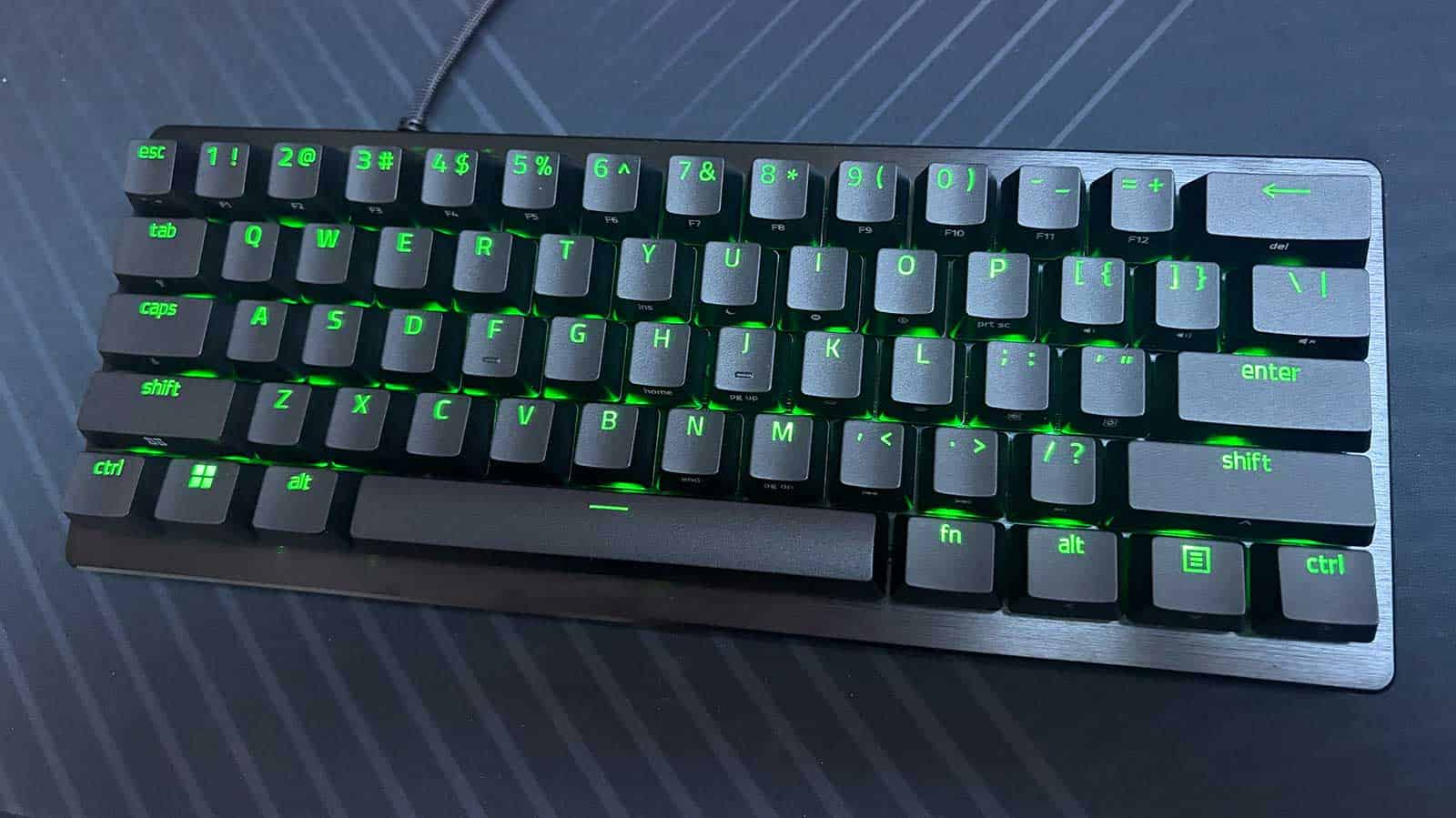
There are no dedicated arrow keys on a 60% keyboard
Where the Razer Huntsman V3 Pro Mini 8KHz genuinely surprised me, though, is in its fit and finish. Its brushed 5052 aluminum top plate barely flexes at all under pressure, and the textured PBT keycaps have a slightly dry grain that won’t turn shiny and greasy after six months—unlike ABS caps, which tend to age poorly. Credit where it’s due: Razer clearly shifted into a higher gear here, and it shows.
One thing you need to know going in: going 60% means saying goodbye to dedicated arrow keys (unlike 65% boards, which I’ve always found a bit more practical). Don’t panic, though—Razer works around this by assigning dual functions to certain keys when you hold down Fn. In practice, that means the bottom-right Alt, Ctrl, and Shift cluster turns into arrow keys in a split second. Still, let’s not kid ourselves: if you’re not used to this layout, there is a genuine learning curve.
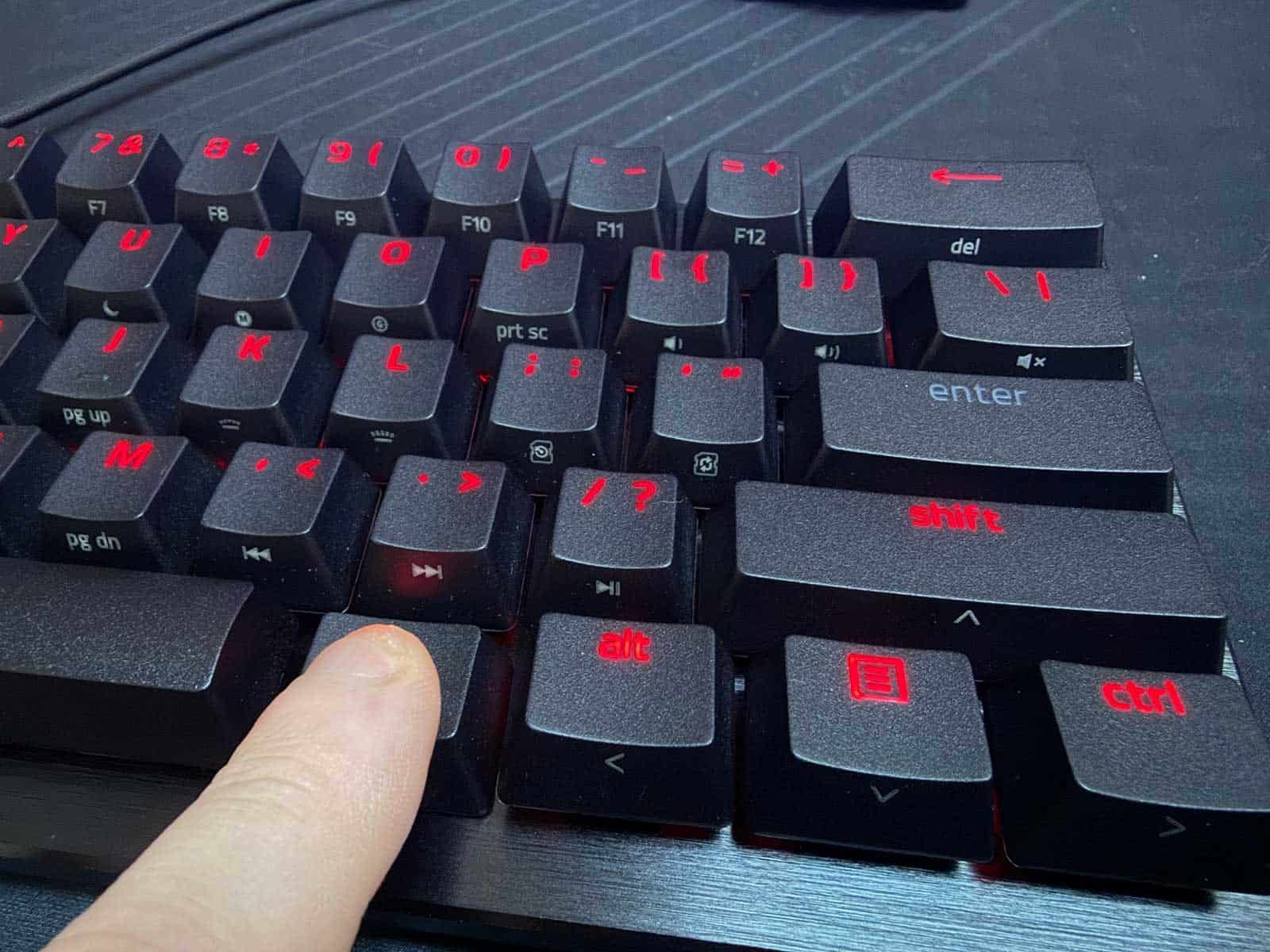
The Fn key gives you access to the keyboard's secondary functions
The Razer Huntsman V3 Pro Mini 8KHz in Action
The real star of the show on the Razer Huntsman V3 Pro Mini 8KHz is its in-game performance. First off, the typing feel is downright superb. Every factory-lubed switch glides without a hint of scratchiness, and the thick internal foam layer dampens the clack into a muted, deep sound profile that I really dig. In fact, that’s the biggest upgrade I noticed compared to the standard Mini—the acoustics are noticeably softer and far less hollow.
On the customization front, I love not having to crack open Razer Synapse just to tweak core settings. Pressing Fn + Tab lets you adjust actuation height per key, Fn + Caps Lock dials in Rapid Trigger sensitivity, and the number row doubles as a visual LED meter. Once saved, your tweaks live right in the keyboard’s onboard memory, ready to travel with you to any PC. As for the rest, just like Corsair, Synapse Web now runs straight in your browser with zero installation required—always a welcome touch.
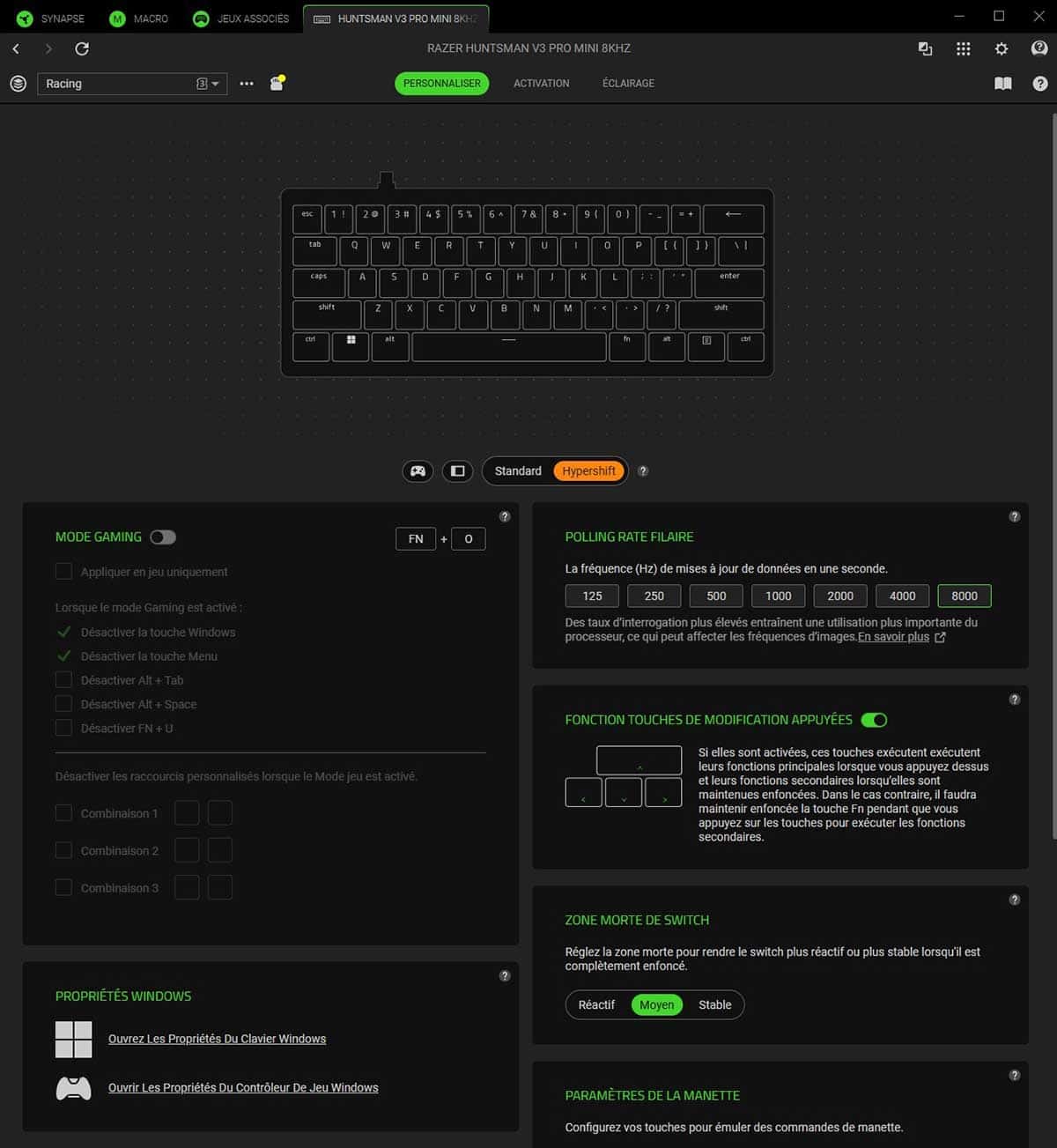
For full customization, Synapse is where all the magic happens
Now let’s put the headline selling point of this new Razer Huntsman V3 Pro Mini 8KHz under the microscope: 8,000 Hz HyperPolling. Razer claims 0.48 ms of latency compared to 0.65 ms from competing boards. Take those numbers with a healthy grain of salt, though—those are internal lab figures, and at fractions of a millisecond, good luck verifying that at home. I’ll give Razer the benefit of the doubt here, since I don’t see why they’d blow smoke over it. What actually makes a night-and-day difference in game is the Rapid Trigger and Snap Tap combo, which makes counter-strafing almost unfairly snappy. It’s the same kind of razor-sharp responsiveness I praised on the Razer Huntsman V3 Pro Low-Profile Tenkeyless 8KHz, just packed into a much smaller chassis.
Up Against the Competition
The catch is that Razer already offered this exact compact chassis with the standard Huntsman V3 Pro Mini. And that is where things get awkward: aside from the reworked acoustics, 8,000 Hz HyperPolling, and the full Advanced Input Control suite, the day-to-day experience on the Razer Huntsman V3 Pro Mini 8KHz is practically identical. Put simply, if you already own the older model, keep your wallet in your pocket—the jump isn’t nearly big enough to justify buying twice. On the flip side, the Huntsman V3 Pro TKL 8KHz delivers the same top-tier performance with a numpad and real arrow keys. At that point, it all comes down to desk space: maximum mouse room and portability on one side, everyday versatility on the other.
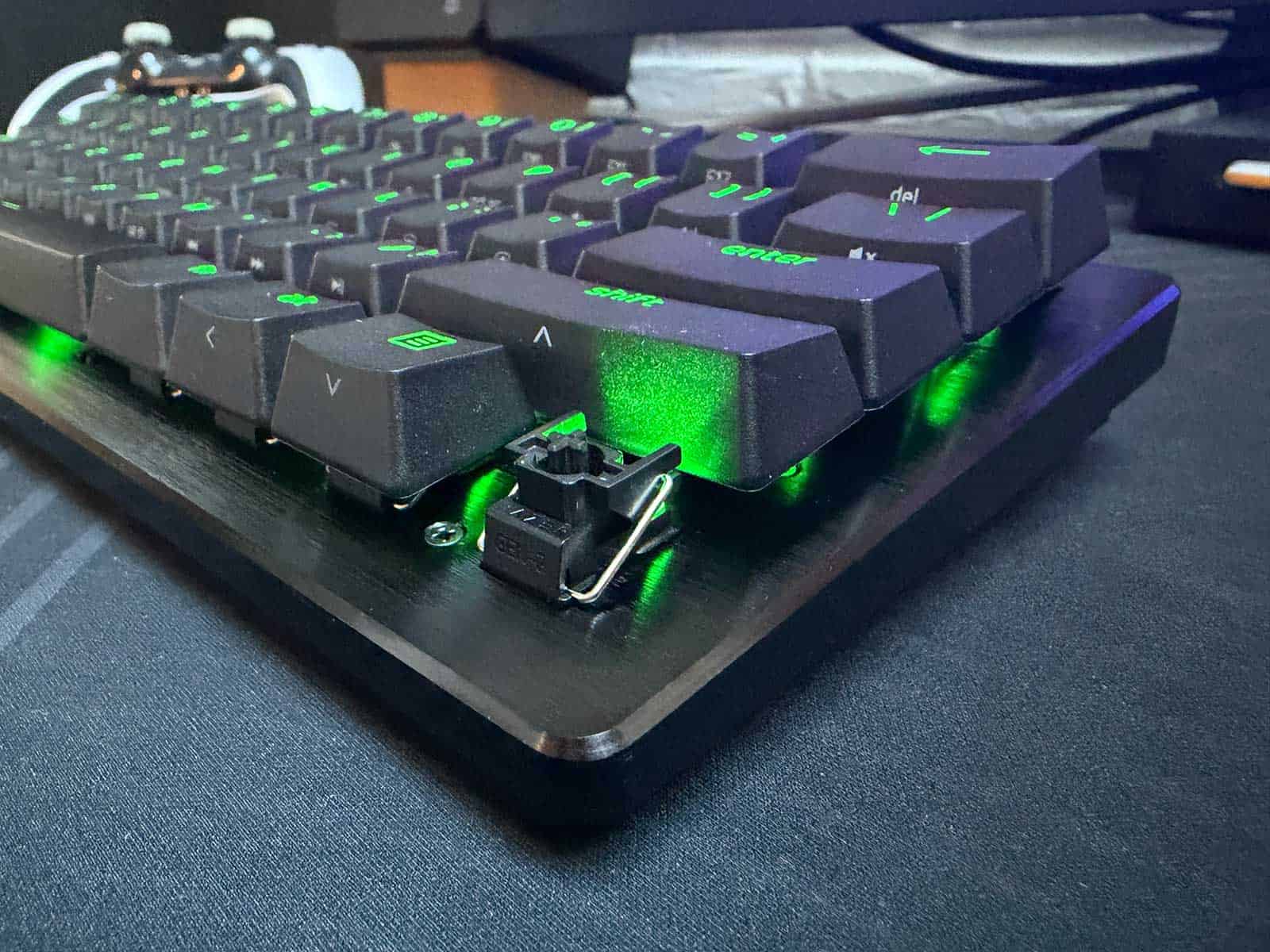
Razer's 2nd-generation Analog Optical Switches are devastatingly effective
Razer Huntsman V3 Pro Mini 8KHz Verdict
The Razer Huntsman V3 Pro Mini 8KHz checks every box I look for in a competitive 60% board: unmatched key feel, a noticeably more premium build, and on-the-fly adjustments without needing software open. Its only real flaw is the price. At €189.99 (~$205) for a keyboard this small, it definitely stings a little—and it automatically prices out a big chunk of buyers, starting with younger gamers. Still, for a demanding player who doesn’t already own a Rapid Trigger board, it is a killer buy. For everyone else, the original Mini already gets the job done nicely. What about you—would you drop that kind of cash on a 60% keyboard?
FAQ
Should I upgrade from the Huntsman V3 Pro Mini to the 8KHz model?
No. Both keyboards are nearly identical, and the improvements (acoustics, 8,000 Hz polling, and extra Advanced Input Control features) are too minor to justify spending the money if you already own the older Mini.
Does an 8,000 Hz polling rate actually make a difference in games?
On paper, the Razer Huntsman V3 Pro Mini 8KHz drops latency down to 0.48 ms. In practice, that difference is virtually imperceptible to mere mortals. By contrast, Rapid Trigger and Snap Tap have a far more tangible impact on movement precision.
Can you configure the keyboard without installing software?
Yes. Actuation height and Rapid Trigger sensitivity on the Razer Huntsman V3 Pro Mini 8KHz can be adjusted directly on the keyboard via key shortcuts and saved to onboard memory (6 profiles, including 4 customizable ones). Synapse Web also lets you fine-tune everything right from your browser.
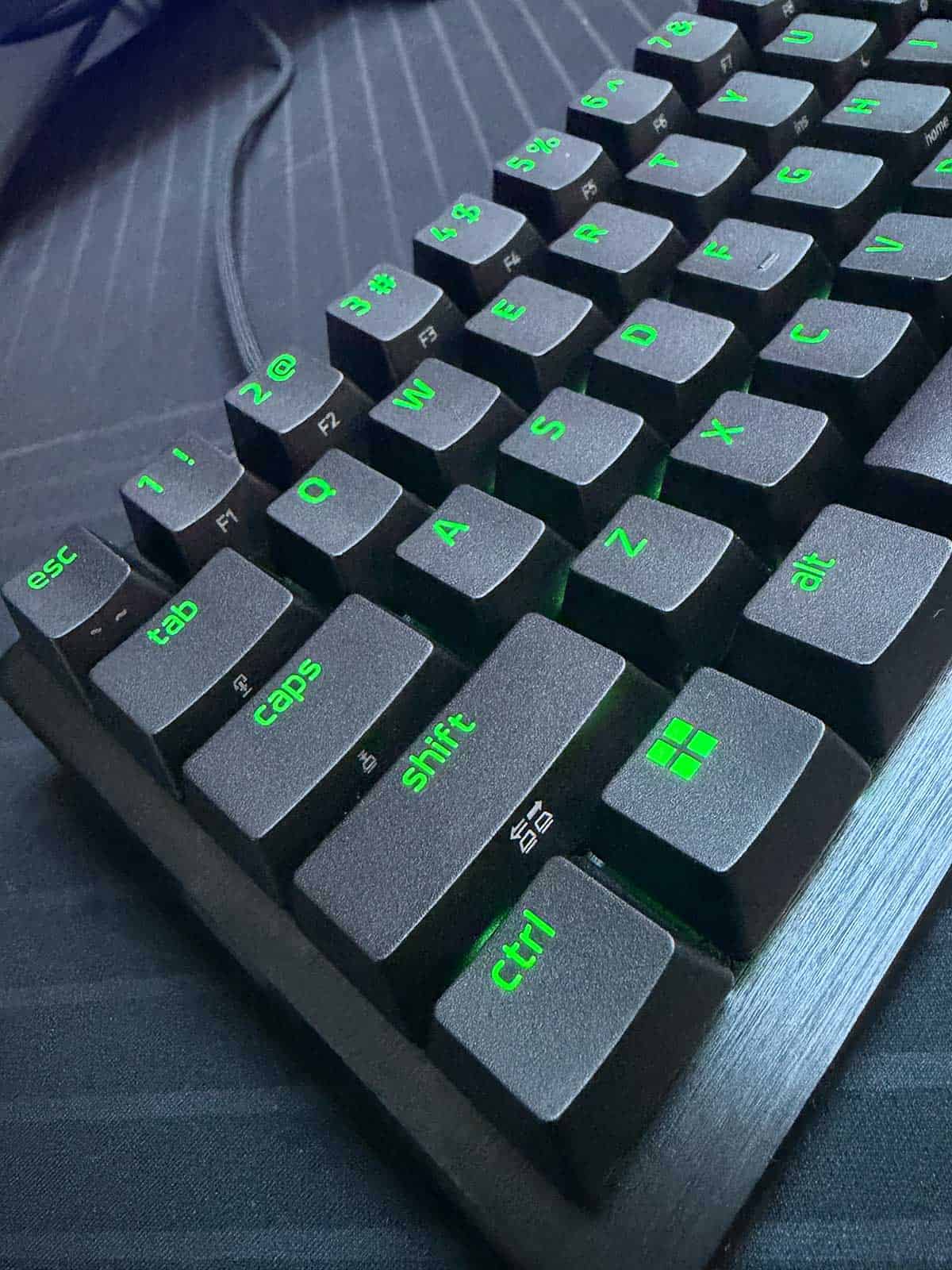
I especially appreciate the textured PBT keycaps